What Integrated Graphics Actually Are
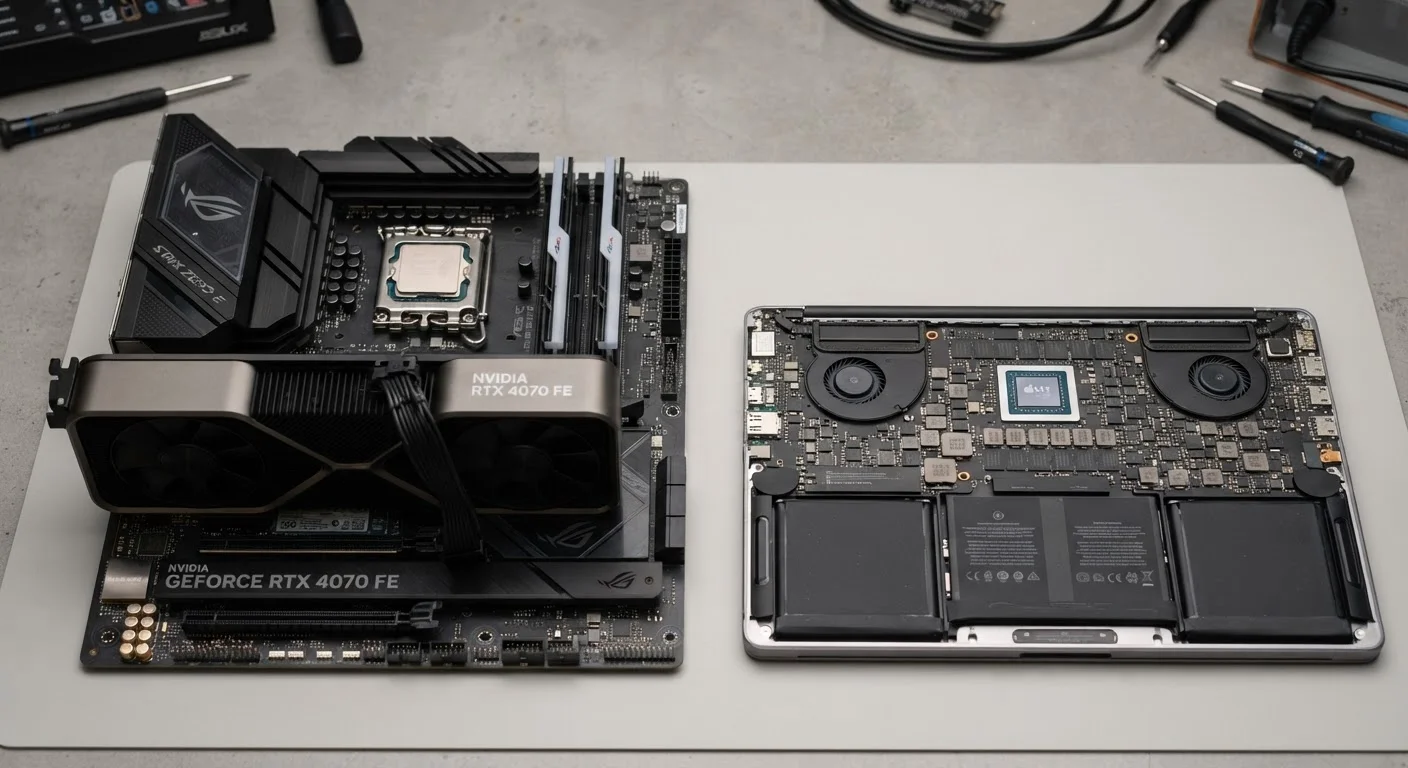
Integrated graphics are a graphics processing unit (GPU) built directly into the same chip as the central processor (CPU). Instead of having a separate card with its own dedicated video memory, integrated graphics borrow a portion of your computer's regular RAM to handle visual output.
Nearly every laptop and many desktop computers ship with integrated graphics. Modern integrated solutions from major chip makers are capable enough for everyday tasks - rendering web pages, playing back video at high resolutions, handling basic photo adjustments, and running productivity software smoothly.
The trade-off is shared resources. Because integrated graphics pull from the same memory pool as the rest of the system, they have less raw processing power available for complex visual tasks. This isn't a problem for typical daily use, but it becomes noticeable when the workload ramps up. See our guide to RAM and processing speed to understand why shared memory matters to overall performance.
What a Dedicated GPU Does Differently
A dedicated GPU - sometimes called a discrete GPU - is a separate component with its own graphics processor and its own onboard video memory (called VRAM). Because it doesn't share resources with the CPU or system RAM, it can process complex visual data much faster and handle far more demanding tasks simultaneously.
This separation is what makes a dedicated GPU essential for PC gaming, professional video editing, 3D rendering, and machine learning workloads that rely on GPU acceleration. In gaming, for instance, the GPU is responsible for rendering every frame - the lighting, shadows, textures, and movement - in real time. A dedicated card with ample VRAM can do this fluidly at high settings; integrated graphics typically cannot.
| Criterion | Integrated Graphics | Dedicated GPU |
|---|---|---|
| Location | Built into the CPU chip | Separate card or component |
| Video Memory | Shares system RAM | Own dedicated VRAM |
| Raw Graphical Power | Moderate, for everyday tasks | High, for demanding workloads |
| Power Consumption | Low | Significantly higher |
| Battery Impact (Laptops) | Minimal - supports long battery life | Noticeable - reduces battery life |
| Cost | No added cost; included in CPU | Adds meaningful cost to the system |
| Best For | Browsing, office, streaming | Gaming, video editing, 3D work |
| Heat & Size | Runs cooler, enables thinner designs | Generates more heat, needs more space |
Dedicated GPUs do come with real costs beyond price: they generate more heat, consume significantly more power, and take up physical space. In laptops, this means thicker chassis designs and reduced battery life compared to machines with integrated graphics only.
How to Tell Which One You Actually Need
The honest answer for most everyday users is that integrated graphics are enough. If your typical day involves email, web browsing, video calls, word processing, spreadsheets, and streaming services, a machine with modern integrated graphics will handle all of it without breaking a sweat.
~65%
US laptop shipments with integrated-only graphics
Industry analysts have consistently noted that the majority of consumer laptop sales involve systems without a discrete GPU, reflecting that most buyers' needs are met by integrated solutions.
4-8×
Performance gap between integrated and dedicated graphics
Benchmark testing published by hardware review outlets commonly shows dedicated GPUs delivering several times the frame-rate output of integrated graphics under gaming workloads.
Where it gets more nuanced is in the middle ground. Casual photo editing in consumer-grade software is generally fine on integrated graphics. But if you're working with RAW files from a high-resolution camera, editing long-form video footage, or running multiple creative applications at once, a dedicated GPU starts delivering a tangible benefit in responsiveness and render speed.
For gaming, the distinction is straightforward: older or less graphically intensive games may run on integrated graphics at lower settings, but the majority of modern titles are designed with dedicated GPU performance in mind. If gaming is a priority, a dedicated GPU is not optional.
When evaluating a computer purchase, being clear about your actual use case matters more than buying for theoretical future needs. Our article on common computer-buying mistakes covers how over-speccing - or under-speccing - graphics is a frequent and avoidable misstep. Similarly, the choice between a desktop and a laptop often intersects directly with GPU needs, since desktops offer more upgrade flexibility.
A Note on Laptop GPU Claims
Some laptops are marketed with a dedicated GPU but at lower performance tiers specifically tuned for thin-and-light designs. These mobile GPUs conserve power and run cooler, but they may perform notably differently from the desktop versions of cards bearing the same name. When evaluating a laptop for creative or gaming use, look for independent benchmark comparisons rather than relying on the GPU model name alone.
For a broader grounding in how computer specifications fit together, our guide for first-time computer buyers is a useful starting point before making any purchasing decision.