What It Actually Means to Build Your Own PC
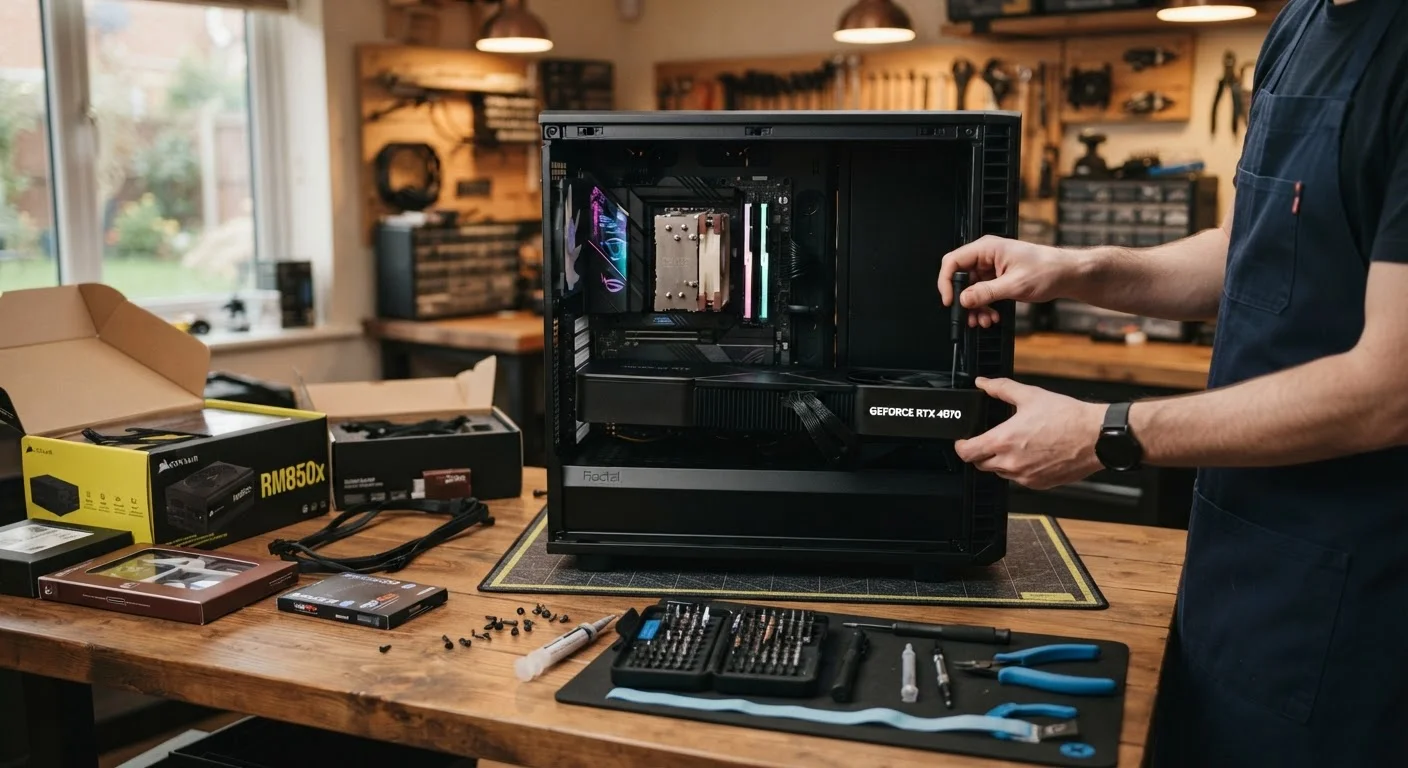
Building a desktop PC means selecting and purchasing individual components - a processor, motherboard, memory, storage, power supply, case, and typically a graphics card - and assembling them yourself. You install the operating system, configure the system settings, and troubleshoot anything that doesn't work right away.
This is meaningfully different from buying a pre-built desktop, where a manufacturer has already done all of that for you. If you've never done it before, it's worth understanding both the appeal and the real demands involved before committing. Our guide for first-time computer buyers is a useful starting point if you're still getting familiar with what the core specs actually mean.
The Case For Building Your Own Desktop
There are genuine, well-established reasons why enthusiasts and professionals choose to build rather than buy.
Full control over every component choice
You decide exactly what processor, memory, storage, and graphics hardware goes into your machine - optimizing for your specific use case rather than accepting a manufacturer's general-purpose compromise.
Easier to upgrade individual parts over time
Because you chose compatible components from the start, swapping out a graphics card or adding more storage is typically straightforward, extending the useful life of the system without a full replacement.
Potential cost savings in the mid-to-high range
For mid-range and higher-performance builds, buying parts individually can cost less than a pre-built system with equivalent specs, particularly for gaming or video editing workloads.
No bundled software you didn't ask for
Pre-built systems often come loaded with trial software and manufacturer utilities. A custom build starts clean, with only the operating system and applications you choose to install.
Hands-on understanding of how your system works
Assembling your own PC gives you practical familiarity with the hardware, which makes diagnosing problems and performing future maintenance considerably less intimidating.
~30%
Estimated savings on high-end PC builds vs. pre-built equivalents
Industry observers and PC-building communities frequently cite potential savings of roughly 20-30% on high-performance builds, though this varies significantly by component availability and market conditions.
8-10 hrs
Typical first-time build time including research
Experienced builders can assemble a system in a few hours, but first-time builders commonly report spending a full day or more accounting for research, assembly, and initial setup.
Perhaps the strongest long-term argument is upgradeability. A custom build lets you swap out a graphics card, add more RAM, or replace storage years down the line - often without replacing the entire system. Pre-built machines sometimes use proprietary parts that limit these options. For more on what to consider when thinking about long-term ownership, see our computer ownership guide.
The Case Against Building Your Own Desktop
Building a PC isn't the right move for everyone, and it's worth being honest about the downsides.
Requires significant research and time investment
Selecting compatible components, understanding specifications, and assembling the system correctly can take many hours - especially for someone doing it for the first time.
No single warranty covers the whole system
Each component carries its own manufacturer warranty, so if something goes wrong, you may need to identify which part failed and contact separate companies - a more complex process than dealing with one support line.
Troubleshooting falls entirely on you
If the system doesn't boot or a component behaves unexpectedly, diagnosing the problem is your responsibility. There's no tech support team to call who knows the full build.
Entry-level builds may not save money
At lower price points, pre-built desktops often benefit from manufacturer bulk pricing that individual buyers can't match, making the cost argument weaker for budget builds.
Risk of compatibility errors during assembly
Not all components work together even when specs appear to match on paper - subtle incompatibilities between a CPU, motherboard, and RAM, for example, can be frustrating to discover after purchase.
Operating System Costs Are Often Overlooked
Many first-time builders forget that a pre-built desktop typically includes a licensed copy of the operating system in its price. When building your own PC, you'll need to account for this cost separately. A retail Windows license, for example, adds a meaningful amount to your total budget. This is one of the line items that can quietly shrink your anticipated savings if you don't plan for it upfront.
It's also worth noting that the savings argument isn't always straightforward. At the budget end of the market, pre-built systems sometimes undercut what you'd spend on equivalent individual parts - manufacturers buy components at scale. The savings tend to become clearer in the mid-to-high range, particularly for gaming or content creation workloads.
How This Compares to Other Technology Trade-Offs
The build-vs-buy question shares some of the same logic as other consumer technology decisions. Choosing between more control and more convenience - with corresponding differences in effort, cost, and flexibility - is a pattern that shows up across the tech landscape. If you're weighing similar trade-offs in other areas, our piece on the trade-offs of smart home technology covers comparable ground.
If you've already decided you want a desktop but aren't sure a custom build is right for you, it's worth reviewing the desktop vs. laptop decision first. And before you finalize any purchase - built or bought - common mistakes consumers make when buying computers are worth knowing in advance.