What "Smart Home" Actually Means
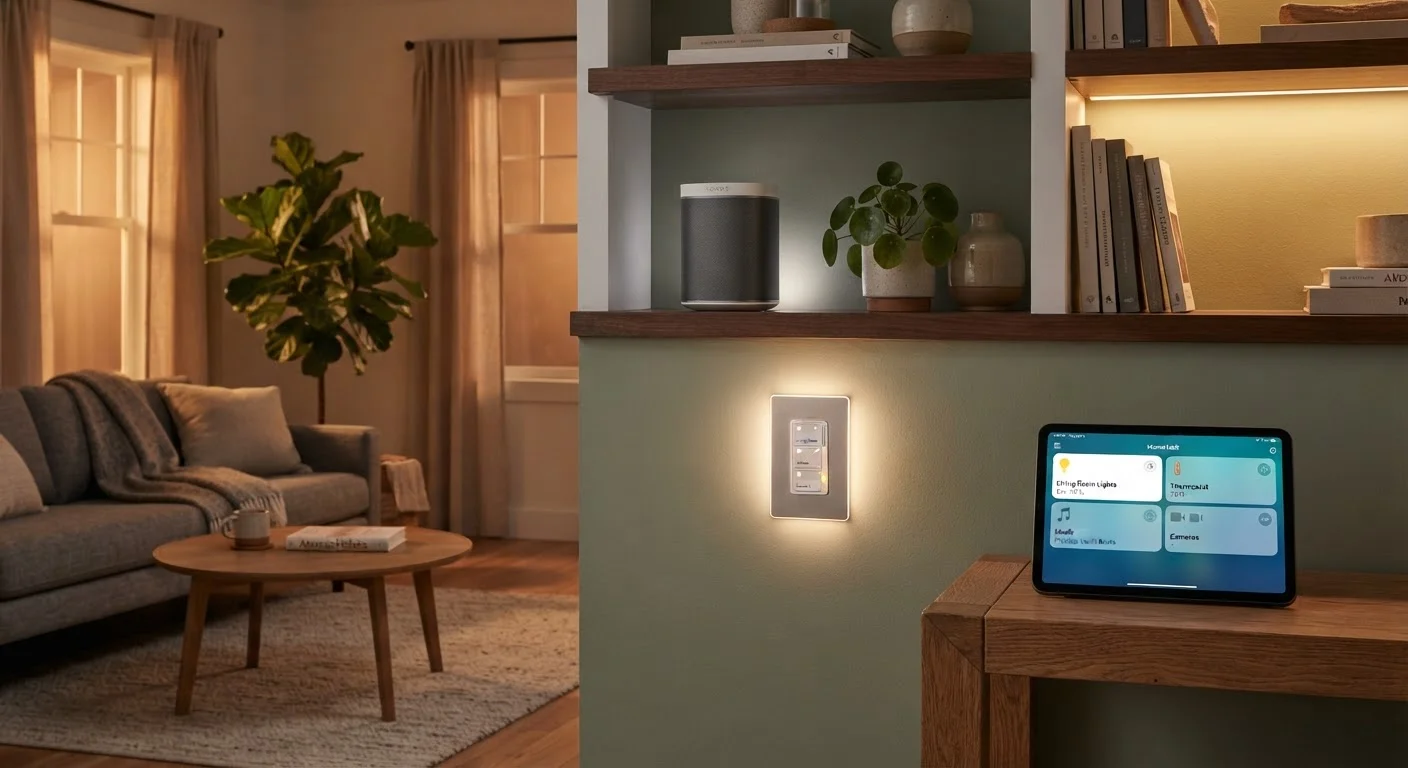
A smart home is simply a residence where devices - lights, locks, thermostats, speakers, appliances - can be controlled over a network, usually the internet. Instead of flipping a physical switch, you might tap an app, speak a command, or let a scheduled routine do the work automatically.
The "smart" part doesn't mean the device thinks for itself. It means the device can receive instructions from somewhere other than its own physical controls. That's the core idea behind everything from a $10 smart plug to a whole-home automation system.
For a deeper look at the terminology that surrounds this space, the smart home glossary is a practical starting reference.
Smart device
Any household product that can connect to a network and be controlled or monitored remotely, beyond its built-in physical controls.
Hub
A central device that connects and translates between smart home devices using different wireless protocols, allowing them to work together.
Protocol
The wireless communication method a device uses to send and receive data - examples include Wi-Fi, Zigbee, Z-Wave, and Thread.
Automation
A pre-set rule that causes a device to act on its own - for example, turning on a porch light at sunset without any manual input.
Voice assistant
Software that responds to spoken commands to control devices, answer questions, or trigger automations - commonly accessed through a smart speaker.
Matter
A connectivity standard designed to make smart devices from different brands work together on the same home network without compatibility issues.
The Core Device Categories
Smart home products cluster into a handful of functional categories. Understanding what each type does makes it easier to decide what's actually useful in your home.
- Smart lighting: Bulbs, switches, and dimmers you can control by voice, app, or schedule. Dimming, color-changing, and occupancy-based automation are common features.
- Smart plugs and outlets: Standard outlets or plug adapters that add remote on/off control and scheduling to ordinary appliances - lamps, fans, coffee makers.
- Smart thermostats: Learn your schedule, adjust temperature automatically, and let you control heating and cooling remotely. They can reduce energy use, though individual results vary.
- Smart security devices: Includes video doorbells, indoor and outdoor cameras, motion sensors, and connected locks. These stream footage to your phone and can send alerts when triggered. For a detailed breakdown, see our guide on what smart security devices actually protect against.
- Smart speakers and displays: These serve as both voice assistant interfaces and audio devices. They let you control other smart devices using voice commands.
- Smart appliances: Refrigerators, washers, and robot vacuums with network connectivity. Usefulness varies considerably by model and lifestyle.
How Devices Talk to Each Other
Smart devices don't all speak the same wireless language. Most home devices use one of four main protocols: Wi-Fi, Zigbee, Z-Wave, or Thread. Wi-Fi connects directly to your existing router, which makes setup easy but can crowd a busy network. Zigbee and Z-Wave create their own low-power mesh networks, meaning devices relay signals to each other - but they typically require a hub.
A newer standard called Matter is designed to resolve long-standing compatibility frustrations by letting devices from different manufacturers work together across platforms. Our article on Matter and what it changes for consumers explains how that works in practice.
For a full comparison of protocols, how smart devices communicate wirelessly covers the differences in plain terms.
Check Protocol Before You Buy
Before purchasing any smart device, check which wireless protocol it uses and confirm it's compatible with your existing setup. Mixing protocols without the right hub can leave devices unable to communicate. When in doubt, choosing Wi-Fi-based devices is the simplest starting point for most households.
Hubs, Apps, and Voice Assistants
A hub is a device that serves as a translator and coordinator between your smart devices and your phone or voice assistant. If you own devices using Zigbee or Z-Wave, a hub is typically required. Many hubs also allow local processing - meaning your automations can keep running even if your internet connection drops.
Each device brand also comes with its own companion app. These apps handle setup, scheduling, and status monitoring. The challenge arises when you have devices from multiple brands, each requiring its own separate app.
Voice assistants - built into smart speakers and displays - act as a common control layer. Asking a voice assistant to turn off all the lights, for example, can trigger devices from several different brands simultaneously, as long as they're all linked to that platform. This cross-brand coordination is one of the most practically useful features of a voice assistant in a mixed-device home.
One App vs. Many Apps
If you stick to a single brand's ecosystem, one app typically controls everything. The moment you mix brands, you'll likely juggle multiple apps - unless you route everything through a shared voice assistant platform or a third-party hub. Neither approach is wrong; knowing the trade-off upfront helps you choose deliberately.
Privacy and Security Basics
Connected devices collect data - usage patterns, voice recordings, camera footage - to function. Understanding this is part of making informed decisions about what you bring into your home. Our article debunking common smart home privacy myths separates genuine concerns from common misconceptions.
A few practical habits reduce risk meaningfully:
- Use strong, unique passwords for every device account.
- Enable two-factor authentication wherever it's offered.
- Keep device firmware updated - manufacturers regularly patch security vulnerabilities.
- Review app permissions and disable any that aren't necessary for how you use the device.
Default Passwords Are a Known Risk
Many smart devices ship with default usernames and passwords that are publicly documented. Leaving these unchanged makes your devices significantly easier to access without authorization. Change login credentials during initial setup - before the device is connected to your home network.
Where to Start
The most common mistake in building a smart home is buying too much too quickly. Start with one or two low-cost devices - a smart plug or a pair of smart bulbs - and use them for a few weeks before expanding. This gives you a realistic sense of what the day-to-day experience feels like.
Before adding more devices, decide which platform you want at the center: a voice assistant ecosystem, a dedicated hub, or a single brand's app suite. That choice shapes everything that follows. Our guide on building a smart home that actually works walks through these decisions with practical planning principles.
Smart home technology is genuinely useful when it fits your actual habits - not when it adds complexity for its own sake. The goal is a home that's easier to live in, not one that requires constant troubleshooting.
Smart Home Glossary
A plain-language reference decoding common smart home terms - from Zigbee to Matter - useful for any consumer navigating device options.
Wireless Protocol Comparison
An in-depth look at how Wi-Fi, Zigbee, Z-Wave, and Thread differ and what each choice means when building or expanding a connected home.